May 19th, 2026
[Beta Track] v1.0.19 [2026-05-19] - Multiple Server Support, Media Version Selector, Global State Restoration, Plex ATV Enhancements, Add Any Media to Watch Next, Alternate Android TV Channel UI, Extra Image Transition Options, Repeated Onboarding Prompt Bug Fix, Anroid TV Sync Rewrite (and bug fixes), Plex Sync Optimizations, Rendering Performance Improvements, Reduced Memory Usage, and Startup Time Reduction
Hi everyone,
This update is a large one with many changes and features to cover.
Starting with the most visible changes: Support for multiple Plex servers at once, media version selection on play, Global State Restoration, enhancements for Plex's native Android TV recommendations, the ability to add any Android TV media to your Watch Next row, a new browsing style for Android TV rows in the home tab, extra image transition options while browsing, and a new UI for viewing a cast member / person’s media
Additionally, there have been a huge number of code changes involved in further pushing Dispatches' rendering performance, reducing RAM usage even further than previous efforts, and cutting down on the app's boot time from a cold start. These changes actually compromise the bulk of the effort made since the last update, even if there isn't much else to say about them beyond the following:
Users should expect smoother performance while using the app, quicker start times when the app is starting cold, and further reduced RAM usage throughout.
Multiple Plex Server Support
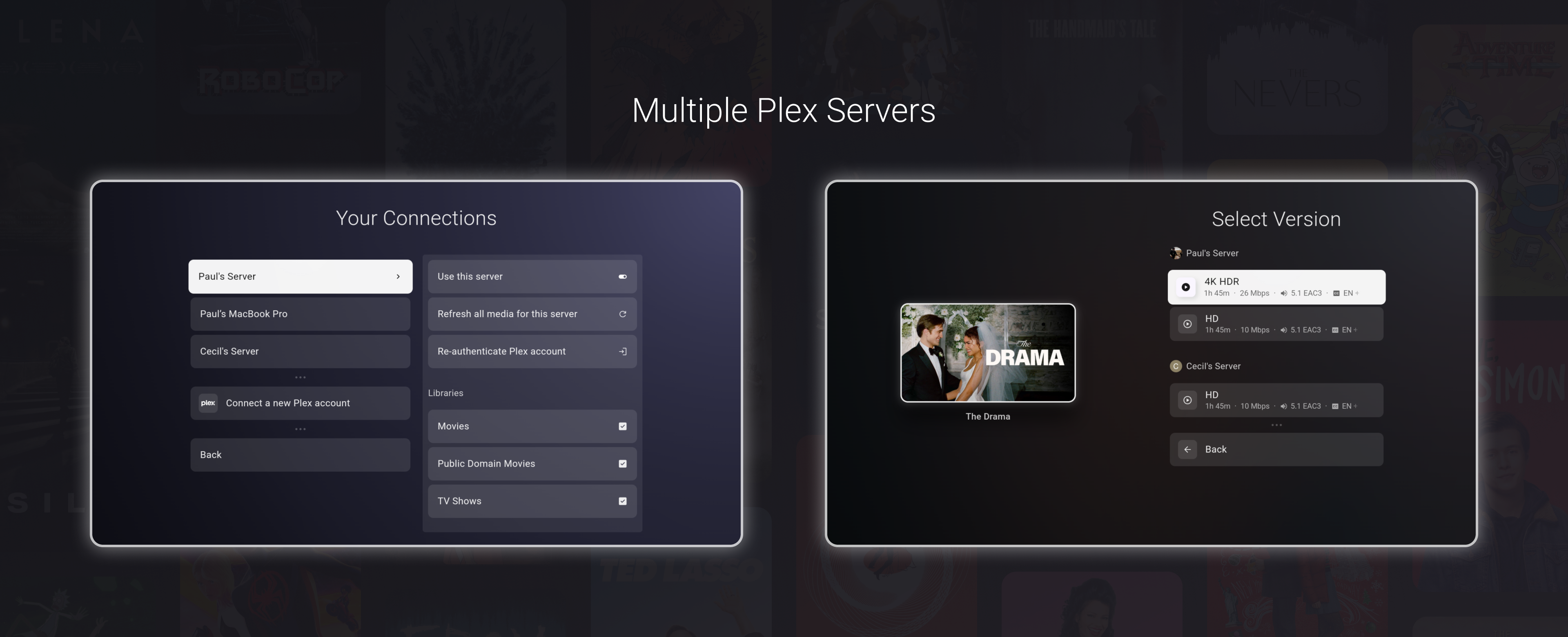
Dispatch now supports connecting to and enabling multiple Plex servers.
This means you can connect more than one Plex account, enable multiple servers, and assign the desired server/user combinations to each Dispatch profile.
A few things this enables:
Multiple Plex servers can now be enabled at the same time.
Connecting a new Plex account is additive and no longer replaces your existing server setup.
Dispatch profiles can be made up of any mix of users from all enabled servers, all while keeping the watch next, watchlist, and recommendations merged into one UI together
Users may also choose to create separate Dispatch profiles per server, turning the profile selector into more of a server selector
The option (on by default)
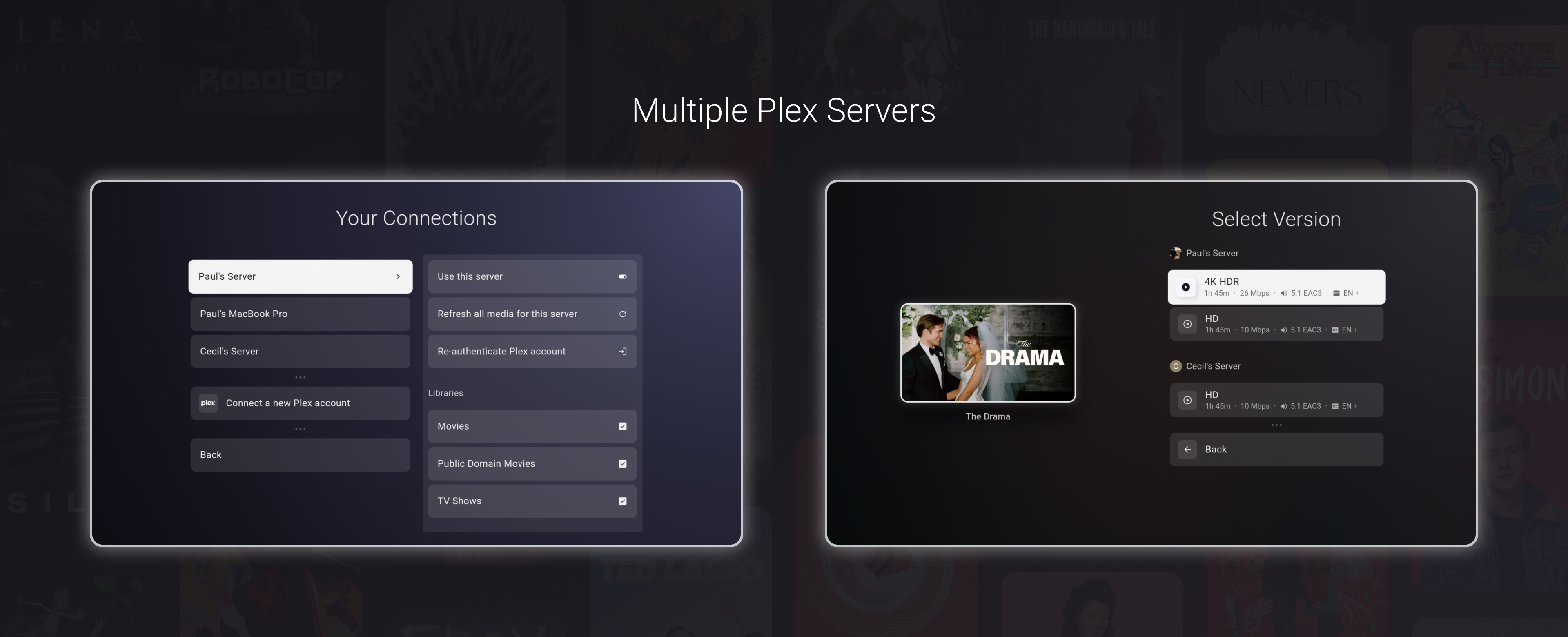
Cross-server version selection on play, allowing users to select and play a release for a media across all servers
Playback and media actions now understand the selected server/version instead of acting on a collapsed item blindly.
Collapsed Media is on by default
By default, media are grouped by their TMDB ID, so that if 5 versions of a movie exist across 5 enabled servers, you don't see 5 copies. This option also collapses the same media within a server into one.
When you select play on a collapsed media, the version selector will show all options across all servers.
This options can be toggled from Settings -> Experience -> Collapse Common Media
Media Version Selector
Dispatch now has a media version selector.
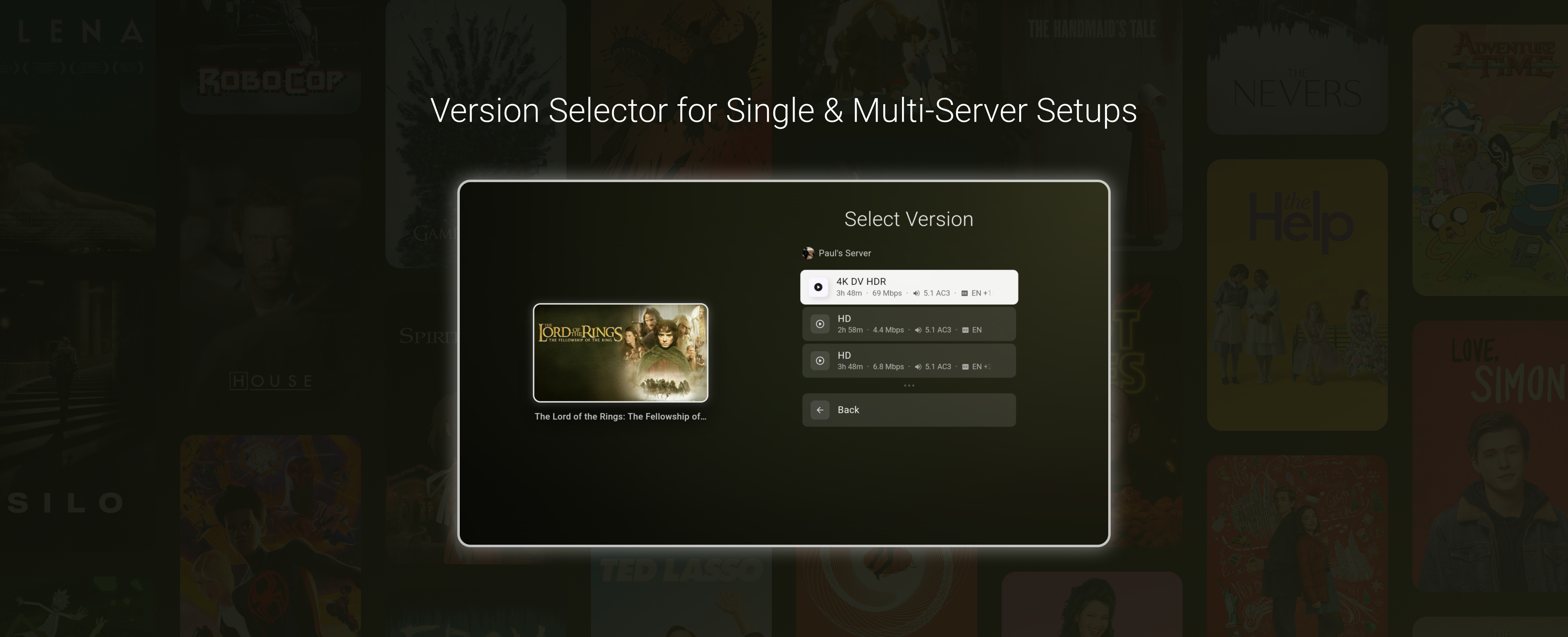
When a movie or episode has more than one playable option, Dispatch will show a version selection screen before playback. This applies both to media with multiple versions on the same Plex server and media that exists across more than one enabled Plex server.
Global Session Restoration
Session restoration in Dispatch is the ability to restore the prior UI state after a full shutdown. The previous beta release came with its own rendering performance improvements that essentially broke this feature since the last release.
However, the old state restoration system was always very limited (it only ever applied to the home page) and planned for a rewrite anyway. This has now been completed.
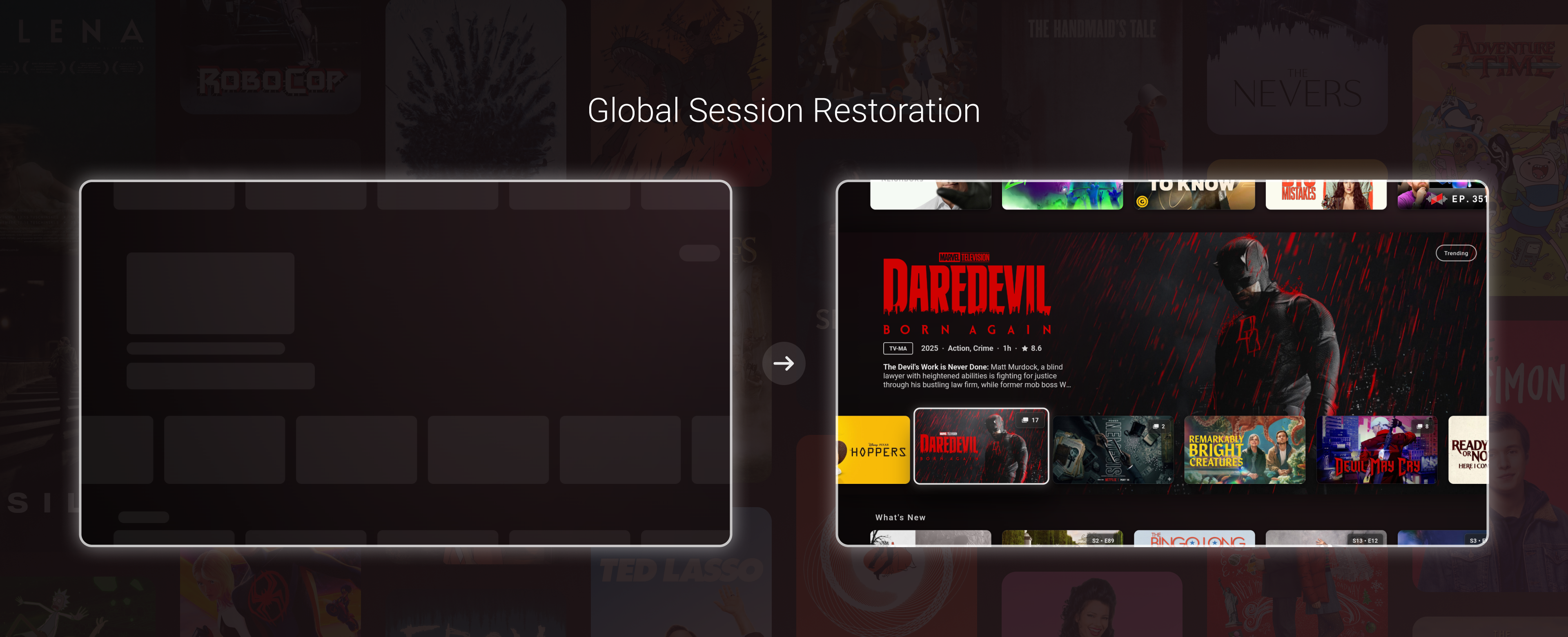
With the newly written restoration system, Dispatch can now restore your exact focus and browsing scenario after being closed down. The idea is that if you start playing media or using a different app on a device with a lower amount of RAM, there's always a chance the OS will kill the app while it's in the background. With this feature, you will be able to continue browsing exactly where you left off even if Dispatch has to start up from scratch.
For example, if you browse through the home page, find a movie, open the director's profile, select one of the movies from their catalogue, select another person's media, open a result from their page, and then play that item, Dispatch will be able to restore that exact UI focus and page change should the app be killed while the movie is being played.
You could also be on the last movie of a 10,000-length movie library, and the session would still be restored.
This feature can be toggled on and off from Settings → Experience → Save & restore state
Here is a video of the state being restored and then backed out of multiple routes, every page restored:
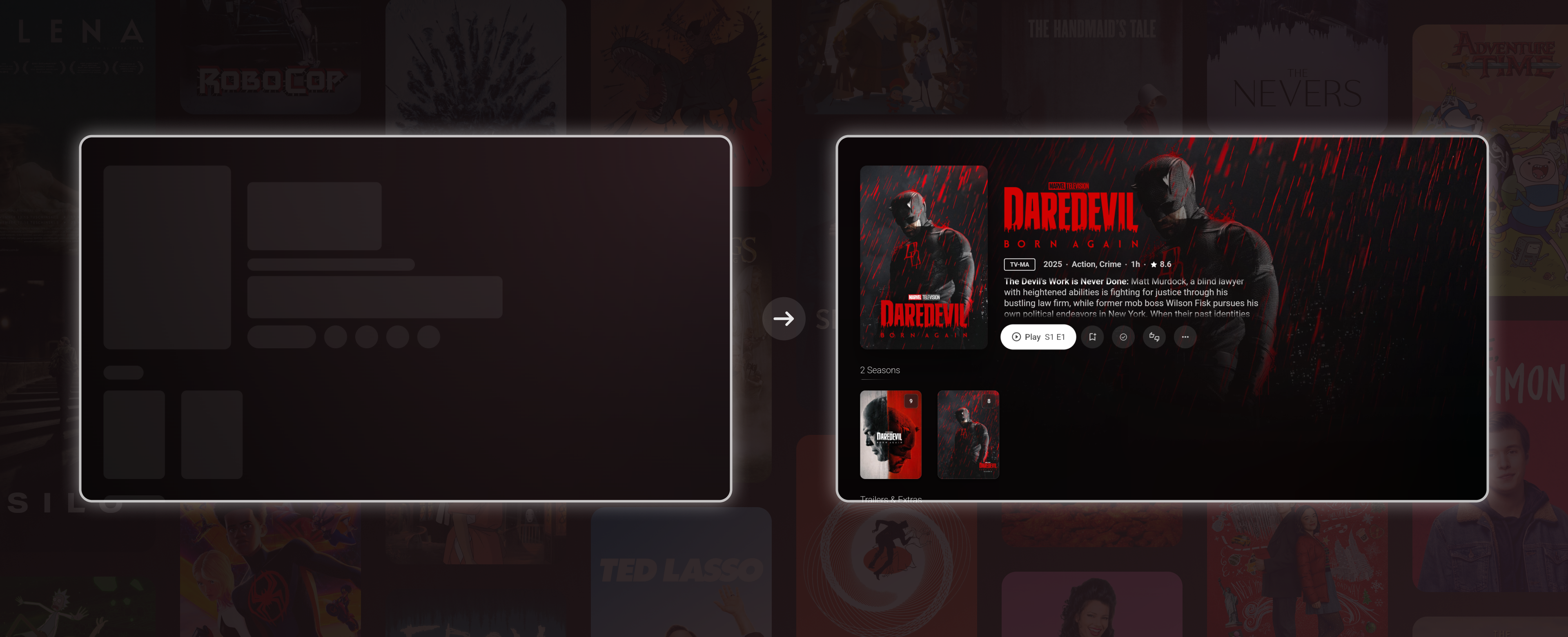
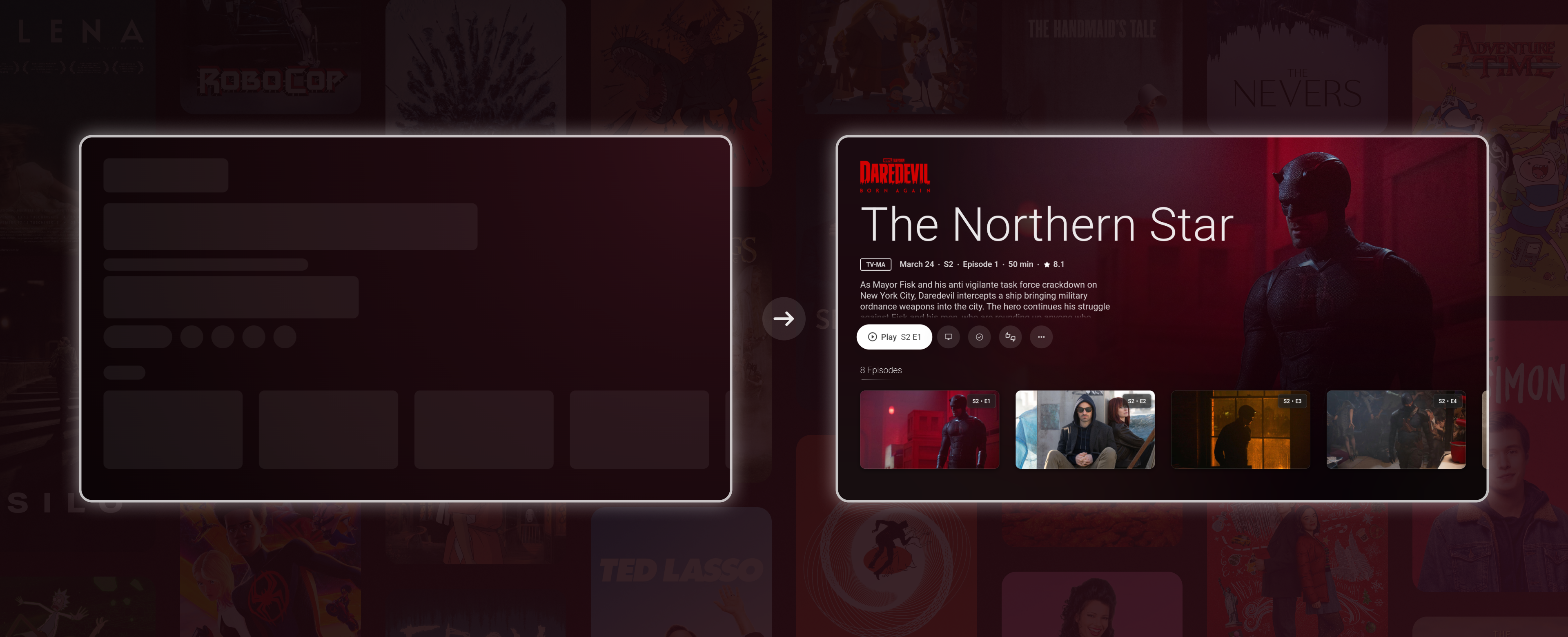
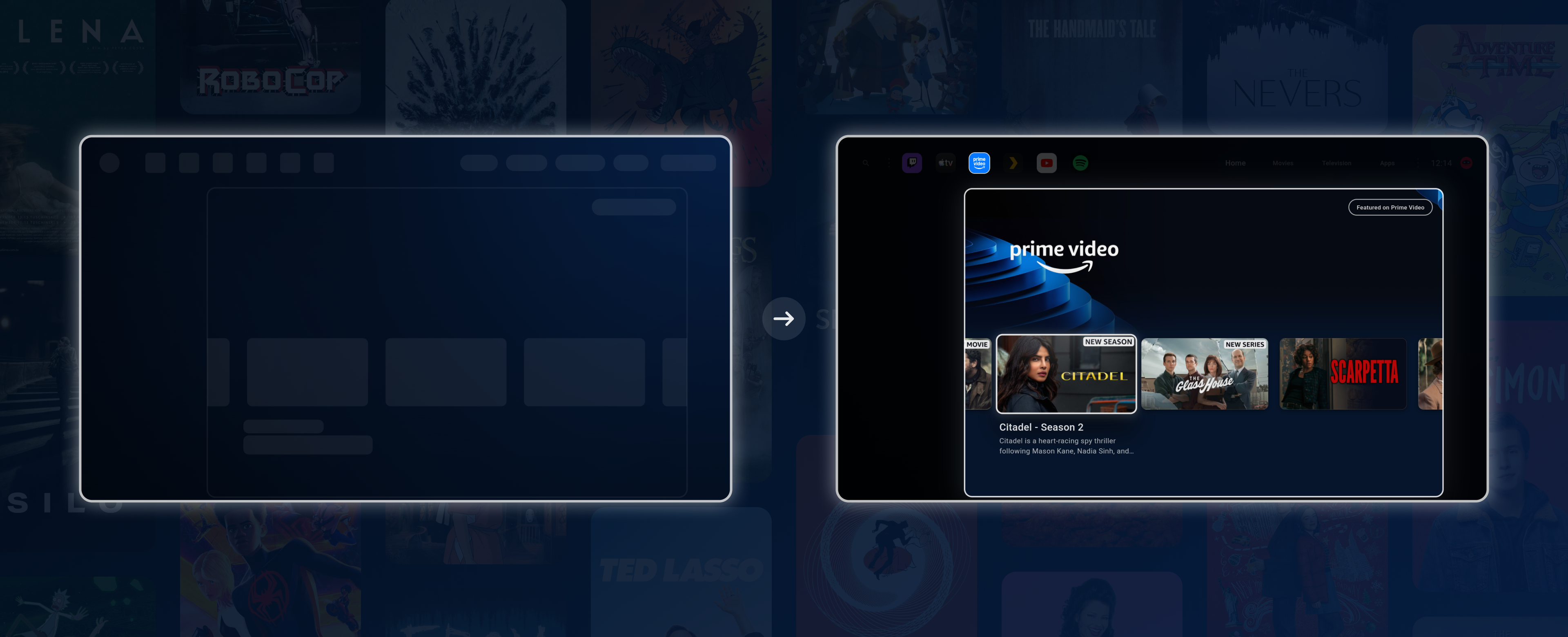
This also includes a novel "auto-skeleton" feature that automatically generates the skeleton UI on session save, which will be used during the restoration phase on the next app start. If you've ever been annoyed by loading skeletons that don't EXACTLY match their incoming content, well then you're a little like me, I guess. The goal of all of this is to lead to, hopefully, more seamless and consistent browsing experiences for all devices.
Plex Android TV Enhancements
Plex media that appears through Android TV recommendations is now supplemented with metadata from your connected server. These are NOT recommendations made through Dispatch's direct integration with Plex, but rather recommendations surfaced by the installed Plex app on your device. Previously, these would show bare metadata and low-res artwork, as that's all the Plex app provided.
So if you use the recommendations surfaced by the Plex app itself, those rows should now feel much closer to normal Dispatch media. (I’m not sure how common this is but I’ve been made aware that it is part of some people’s preferred setups.)
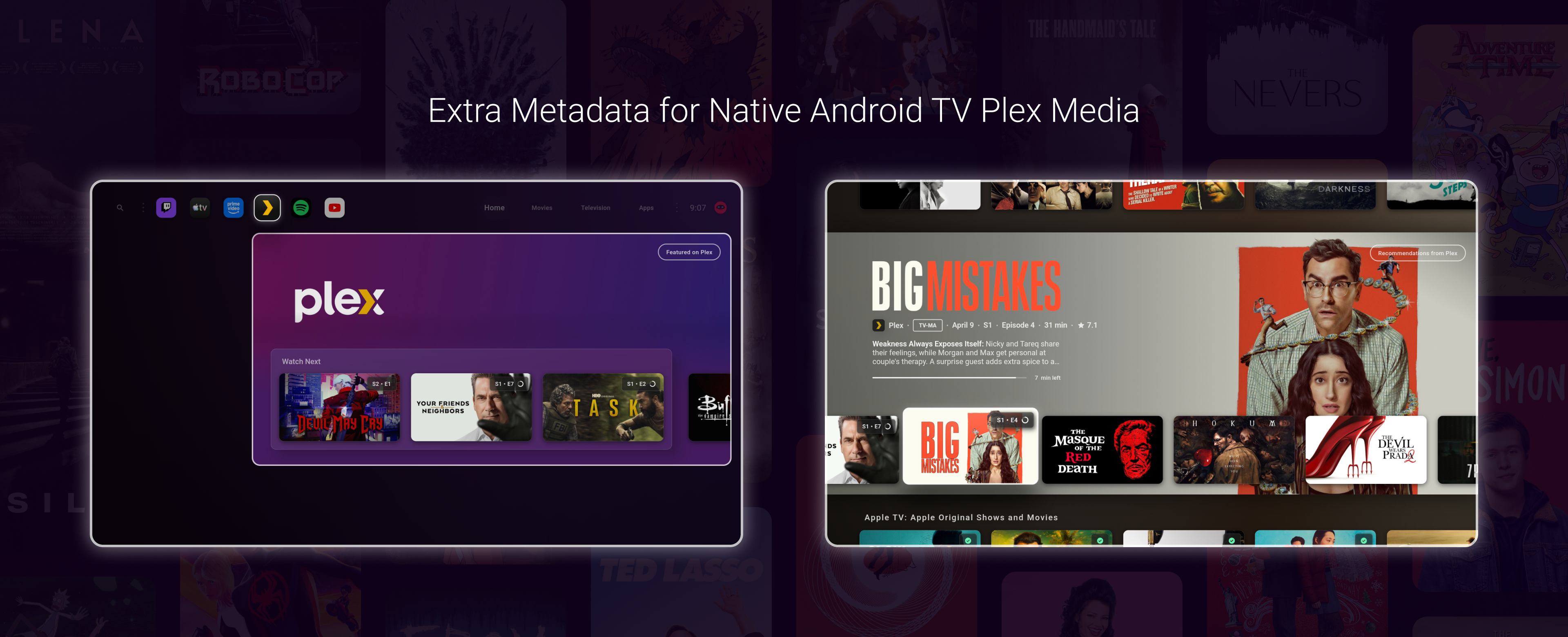
This makes Plex items from Android TV rows feel more like regular Dispatch media instead of generic Android TV recommendation entries.
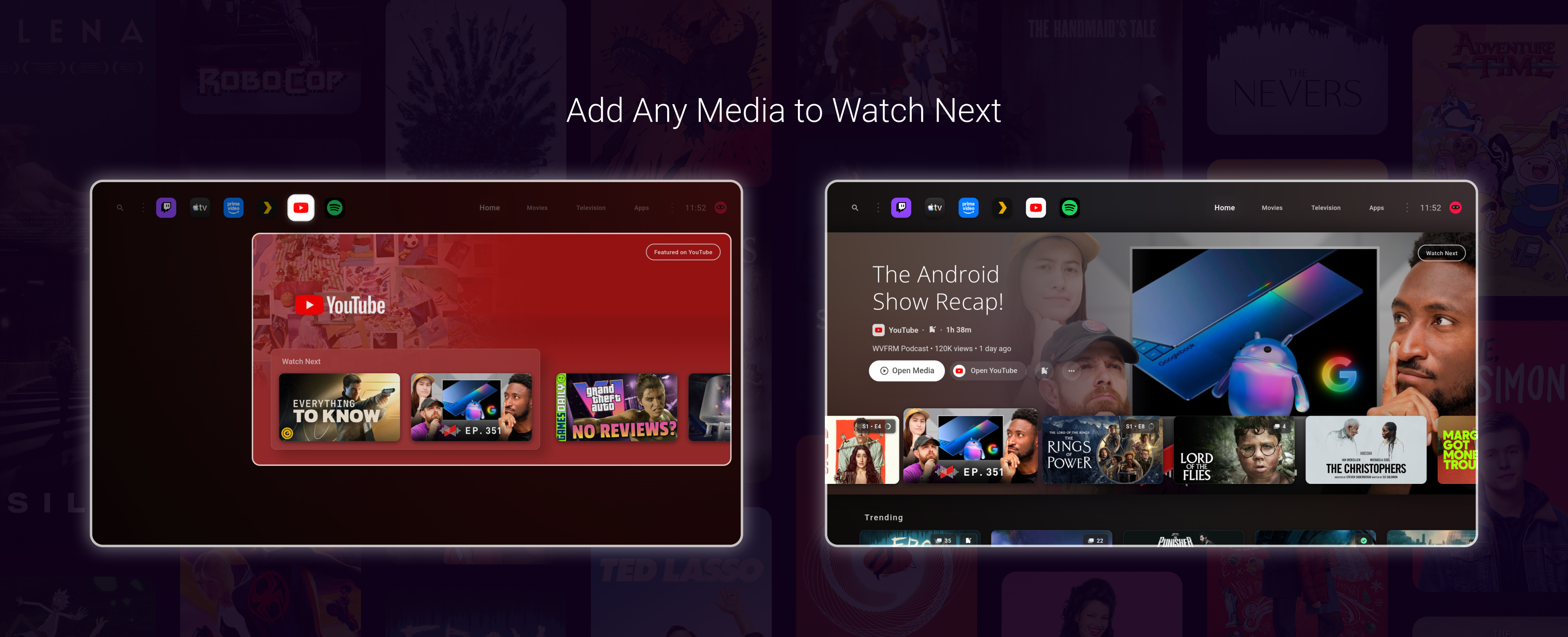
Add Any Media to Watch Next
You can now add any Android TV media to Dispatch's Watch Next row.
This means any recommendations you see from YouTube, Apple TV, or whatever other app recommendations are on your device can be saved for later viewing. Items added show up in your Watch Next row alongside your other media.
Alternate Android TV Recommendation UI
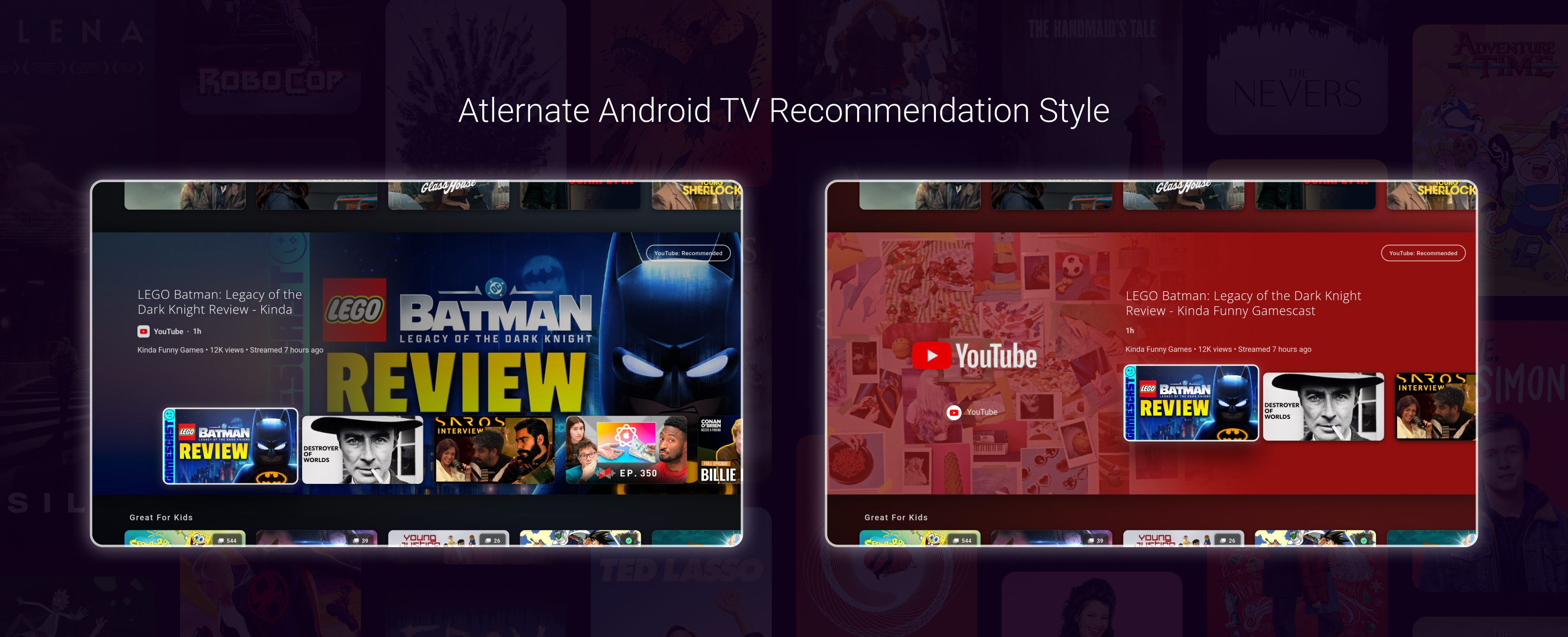
This update also adds an alternate presentation style for Android TV recommendation rows.
With this option toggled, you can choose between Android TV rows that match the style completely of the normal Plex media rows or continue using the "Collected" UI, which uses a common app banner for those rows.
Extra Image Transition Options

There are now more options for how Dispatch transitions between media images.
The available modes now include the default behaviour, blink-style transitions, crossfade, and slide. The new modes are a little experimental for now, but they will be stabilized shortly. You may notice some random minor glitches with the slide mode in particular.
Here's two small videos with the slide mode enabled:
On the home page
While browsing episodes:
Android TV Sync Rewrite
The synchronization system for Android TV media has been completely re-written. Android TV media should sync now with far fewer (hopefully none) issues, as well as much more quickly than before.
However, since this is a full rewrite, some unexpected bugs may still occur or crop back up. Please let me know of any current issues you have with the new release, if any are present. Once whatever edge cases for the new system are ironed out, I don't believe there will be any issues regarding syncing ATV media going forward. It's my goal to get any and all remaining quirks in the new system ironed out as quickly as possible, so I'll appreciate any feedback on the new system testers can give.
Plex Sync Optimizations
Plex sync has also been optimized with many changes and fixes. The same applies as above: Synchronization should be much faster, but some edge cases may occur that still need to be completely ironed out.
Rendering, Memory, and Startup Improvements
As previously stated, this update includes a lot of performance work across startup, focus restoration, rendering, media transitions, image loading, and app list handling.
A lot of the rendering and memory improvements are due to some heavy rendering engine customizations, which were not trivial at all. However, if all goes well, it should only translate to smoother performance for all devices.
Some weird visual glitches may occur that still need to be resolved. If any are noticed, let me know.
Repeated onboarding bug fix
This release should once and for all fix an issue where users could have their onboarding status wiped, leading to repeated onboarding prompts. I've never personally experienced this issue; however, I know it's been a long-standing annoyance for some users.
What’s Next
The largest priority now for me is getting all beta changes pushed to the stable release. I'm aware the stable release, at this stage, lacks many of the features of the beta branch. I understand that this may be frustrating to some users, so I will be working very hard to stabilize any remaining beta-only issues and get these features to the bulk of Dispatch users in the next 2-3 weeks.
Work for Jellyfin support is already underway, with Stremio support to follow soon after.
I’m also prioritizing multilingual support as well now.
Future Release speed
It’s my goal and expectation that, going forward, updates will be coming at a faster rate across both beta and stable channels. The multi-profile support and multi-server support both constituted large rewrites of core parts of the app. Now that they are feature complete, the road ahead for future integrations, features, and improvements is far smoother than behind.
Thanks!