v0.9.50 [2024-08-04] - Revamped Control Center, Input Switching, Recent Apps Menu, Improved Context Menu, and Bug Fixes
Updated Control Center
The control center has been redesigned with some new features, including the ability to put your device to sleep.
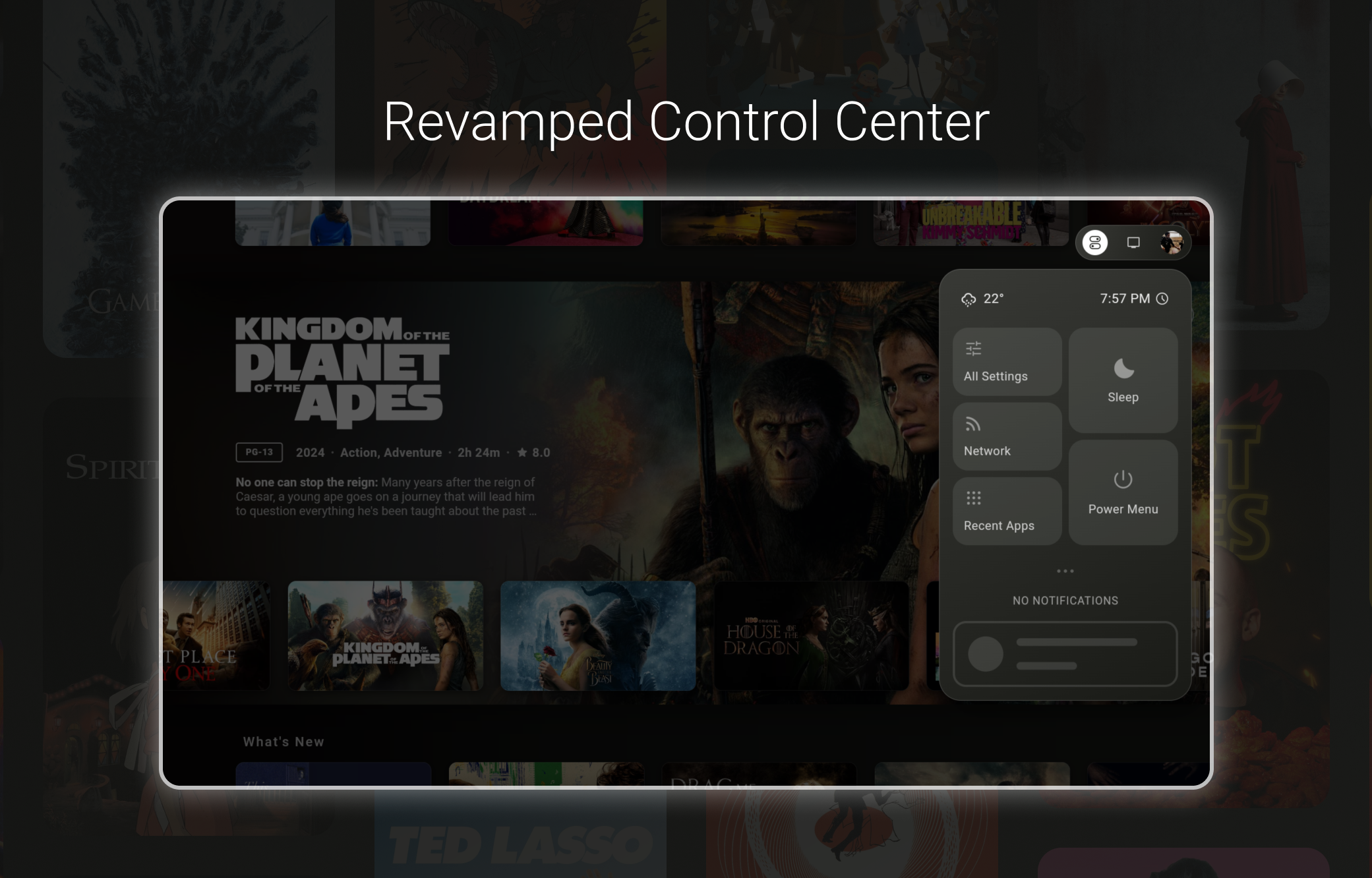
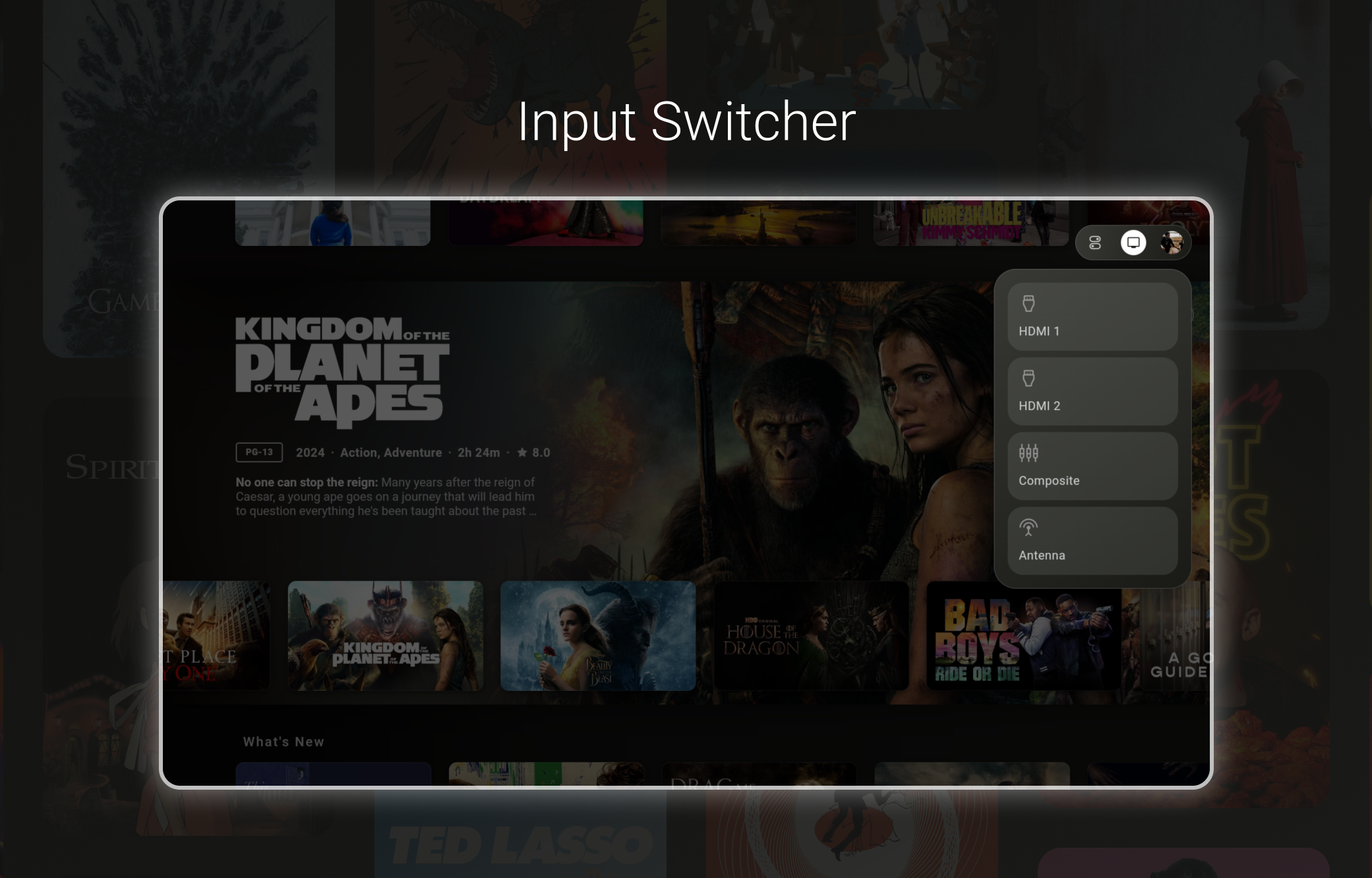
Input Switcher
The control center also includes a new input switcher. Note that the input switcher will only show on displays with Android TV built in, and will not show on devices like the Nvidia Shield or Chromecast with Google TV.
Recent Apps
Additionally, users can access a new recent apps menu from the updated control center.
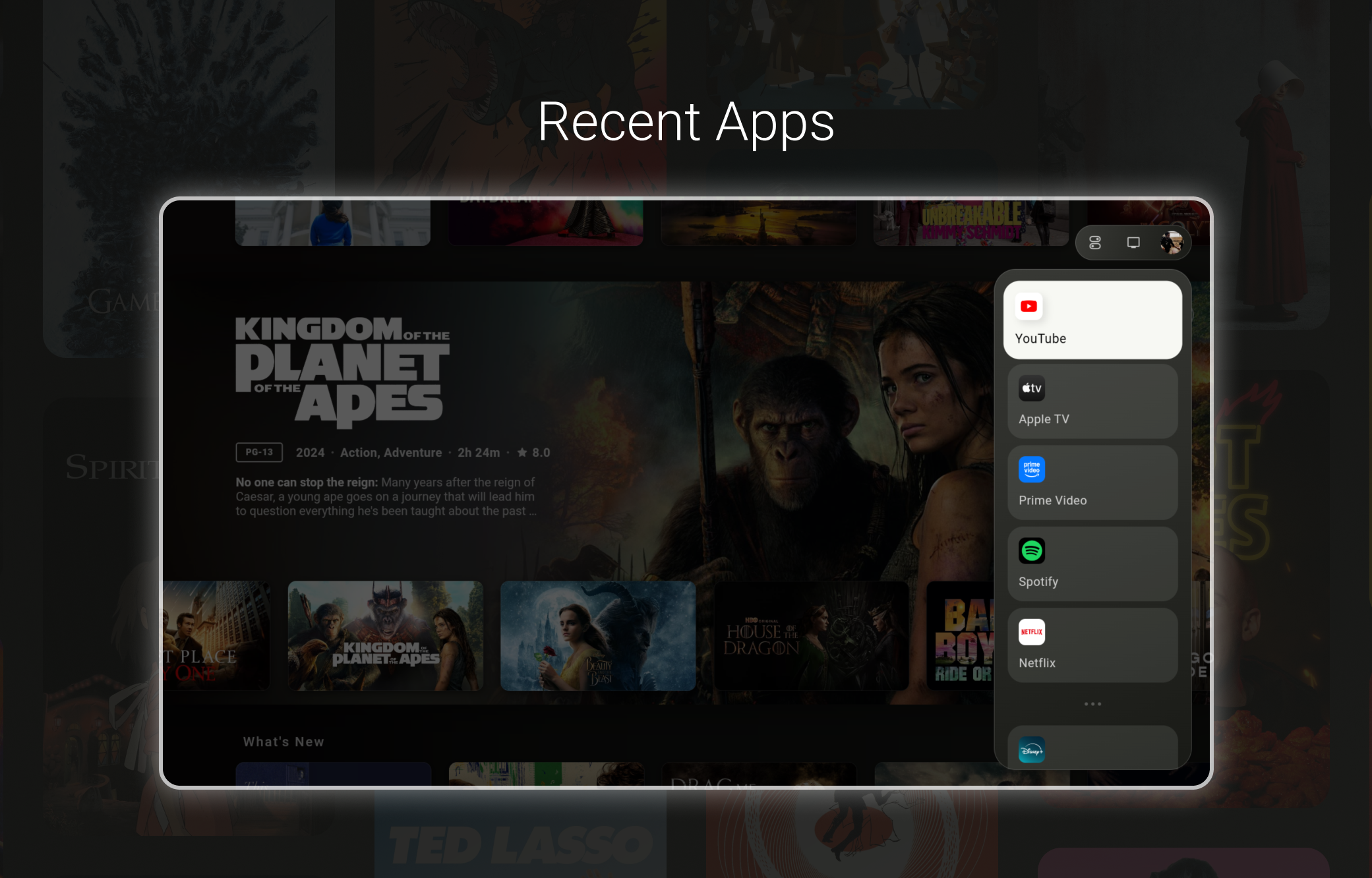
As a reminder, the control center can be accessed by pressing right on your remote when the Apps tab is highlighted, or by pressing the menu button on your remote. To use the menu button, your remote must be configured to send the menu command. I personally recommend users set the menu button to send the menu command with a single click, and a long click set to open the android device settings view.
A profile switcher has not yet been implemented and will not be included in v1 of Dispatch, however, it will be a top priority post-launch.·
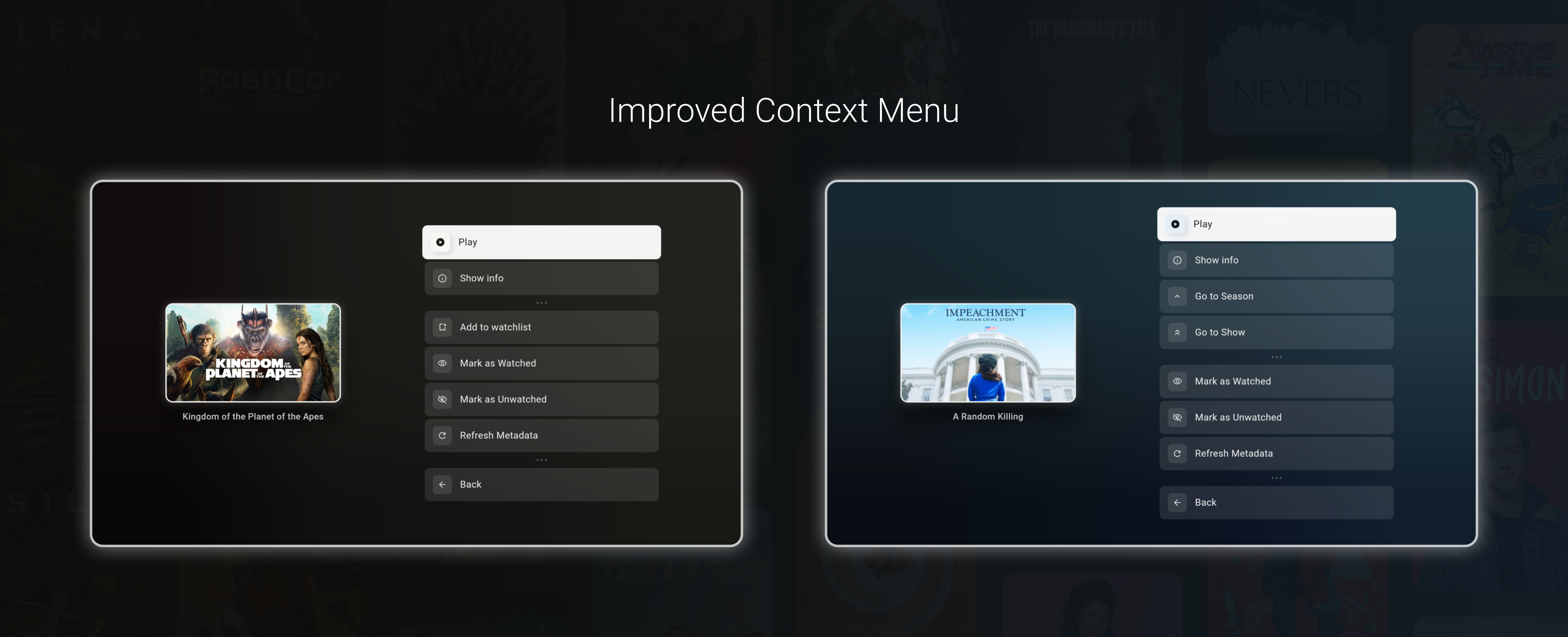
Improved context menu
The context menu now includes options to mark media as watched / unwatched, as well as the ability to navigate to an episode's parent season or parent show.
Additional changes
The following changes and fixes are included in this release as well:
Added the ability to change the default action when clicking on a media item.
Fixes an issue where non-English and SVG logos failed to download
Fixes an issue where certain app media would not load their pictures, such as media from the Plex app or certain Spotify items.
App start up performance improvements
Other general performance improvements
Various smaller bug fixes